

To clone a real, verified voice at studio quality instead, see Professional Voice
Clone.
Before you begin
- Sign in at fish.audio/app.
- Credits. Each generation costs credits (or is free during a promotion — the cost is shown next to the Generate Samples button).
Open Voice Design
Go to fish.audio/app/create-voice and, under Pick a method, choose Voice Design.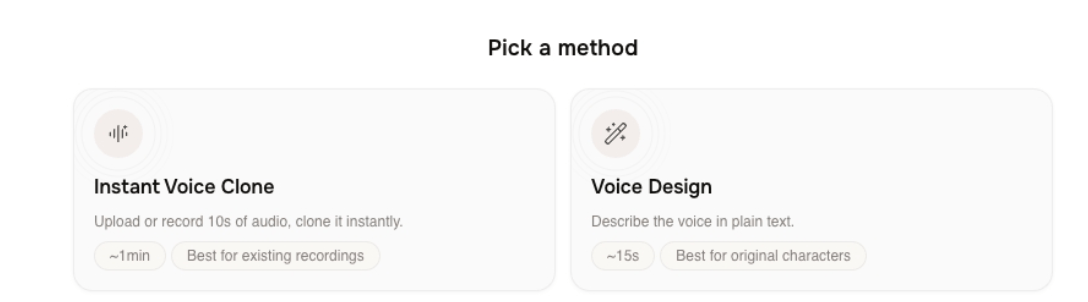
Create the voice
1
Describe the voice
Under Describe the voice you want, type one or two specific sentences — for example,
“A warm, slightly raspy middle-aged narrator with a soft American accent. Calm, deliberate
pace, great for late-night audiobooks.” Your description must be between 20 and 1000
characters.To start faster, click a starter prompt such as Warm late-night radio host,
Documentary narrator, or Children’s storyteller. To control exactly what the
samples say, click Set preview text and enter a short line (5–150 characters);
otherwise Fish Audio writes a sample for you.Check the cost note (for example, 2000 credits per generation, or Free for a limited
time during a promotion), then click Generate Samples.Screenshot: the description box, starter prompts, and the Generate button.
2
Generate and pick a sample
When generation finishes, the Pick a voice section shows two samples. Click play on
a card to listen, and click the waveform to jump to a spot. Not happy with either?
Click Re-generate Samples for a new pair.Click Select on the sample you want — it changes to Selected — then click
Continue.Screenshot: the two sample cards with one Selected and Continue enabled.
3
Add details and save
On the Voice Details screen, a preview card updates as you fill in the form:
- Voice Name (required).
- Cover, Description, Use Cases, and Voice Style (optional — some are pre-filled from the sample).
- Gender (Female, Male, or Neutral) and Age (Young, Middle-Aged, or Elderly).
- Type — visibility: Public (shown in discovery), Unlisted (shareable by link), or Private (only you). On the free tier, Unlisted and Private are locked with an upgrade hint.
Next steps
Professional Voice Clone
Clone a real, verified voice at studio quality.
Manage your voices
Find, edit, and use the voices you have created.